Screen and sound
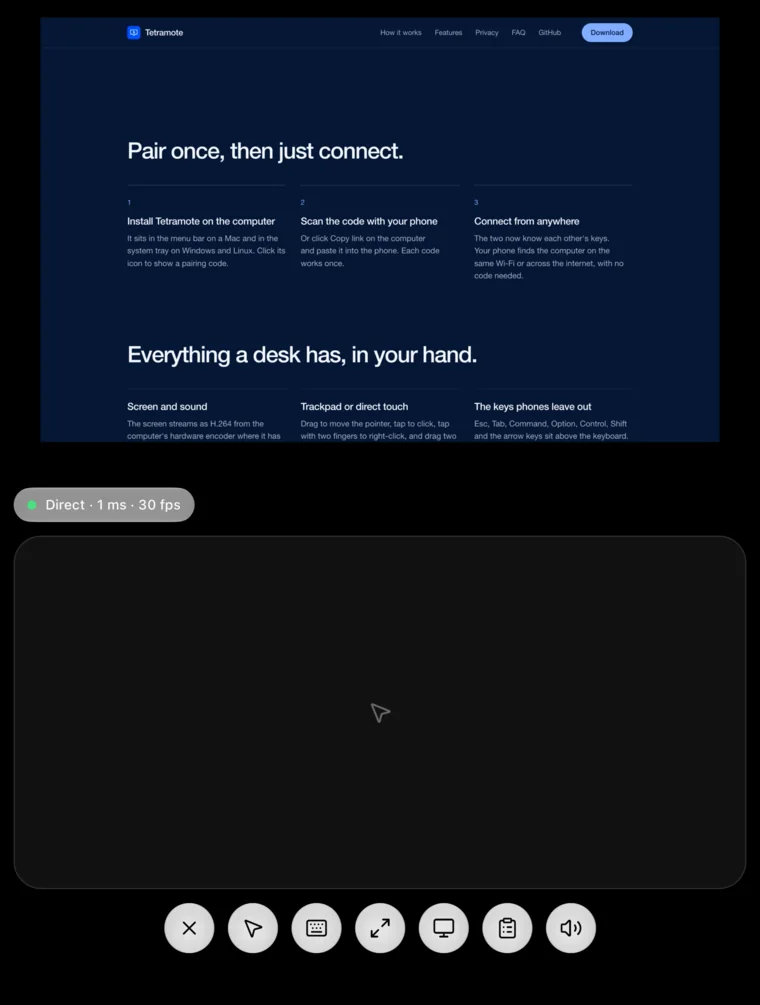
The screen streams as H.264 from the computer's hardware encoder where it has one, and system audio comes along as Opus. A status pill shows whether the link is direct and how long a round trip takes.
Tetramote puts your Mac, Windows or Linux screen on your phone, sound included, and sends your taps and typing back. Pair once by scanning a code. There's no account to make and no Tetramote server in between.
It sits in the menu bar on a Mac and in the system tray on Windows and Linux. Click its icon to show a pairing code.
Or click Copy link on the computer and paste it into the phone. Each code works once.
The two now know each other's keys. Your phone finds the computer on the same Wi-Fi or across the internet, with no code needed.
The screen streams as H.264 from the computer's hardware encoder where it has one, and system audio comes along as Opus. A status pill shows whether the link is direct and how long a round trip takes.
Drag to move the pointer, tap to click, tap with two fingers to right-click, and drag two fingers to scroll. Tap then drag to drag a window. Or switch to direct touch and tap the screen itself, pinching to zoom in.
Esc, Tab, Command, Option, Control, Shift and the arrow keys sit above the keyboard. On Windows and Linux, Command and Control press Ctrl and Option presses Alt.
Send your phone's clipboard to the computer, or copy the computer's clipboard to your phone. With more than one monitor, pick which one to show.
The computer's screen fills the display and the controls float on top, hiding after a few seconds. Tap with three fingers to bring them back.
The desktop app controls other computers too. Paste a Tetramote link into it and the other screen opens in a window.
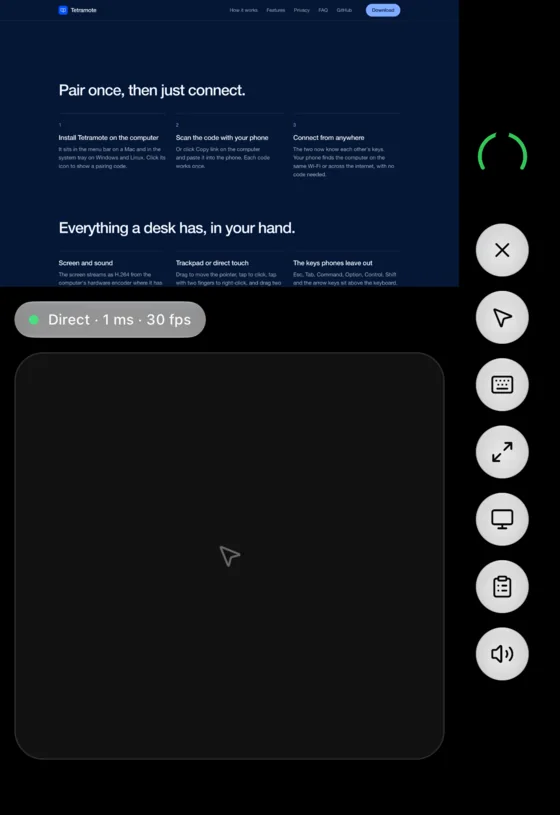
Half open, a session becomes a laptop: the screen on the top half, a trackpad on the bottom. Folded, Back, Close and the session controls move into the status rail, so the screen gets the whole display. On other phones the screen sits above the trackpad the same way.
Tetramote connects your devices with iroh. Every connection is end-to-end encrypted QUIC and goes direct whenever the networks allow it. When they don't, traffic passes through n0's public relays, or a relay you run yourself, which only ever see encrypted packets.
Read the protocolOne app for Apple silicon and Intel Macs. It isn't notarized yet, so the first time you open it, allow it in System Settings › Privacy & Security. Sharing the screen and taking input need Screen Recording and Accessibility.
Windows 10 or later. Uses the GPU's H.264 encoder when there is one.
GNOME or KDE Plasma with PipeWire, on Wayland or X11. Needs glibc 2.39 or newer: Ubuntu 24.04, Debian 13, Fedora 40 and later.
The phone app isn't in the App Store or Google Play yet. You can build it from the source on GitHub.
No. Tetramote is free, and its code is open source under the MIT license.
No. The computer shows a code, your phone scans it once, and from then on each recognizes the other by its key.
Yes. Your phone reaches the computer over the internet, directly when the networks allow it and through an encrypted relay when they don't. The computer needs to be on with Tetramote running.
No. There is no Tetramote server. When a relay is needed, it forwards packets it can't read. The relays belong to n0, the team behind iroh, and you can set your own in the phone's settings.
The iPhone and Android app isn't in the App Store or Google Play yet. You can build it from the source on GitHub.
GNOME and KDE Plasma, on Wayland or X11. Tetramote shares the screen and takes input through the desktop portal, and wlroots compositors such as Sway don't offer remote input there yet.